Document Your Ideas Before They Disappear
- ✓Sketch chord voicings and scale ideas instantly
- ✓Hear what you're drawing with audio playback
- ✓Embed reference tracks from YouTube and Spotify
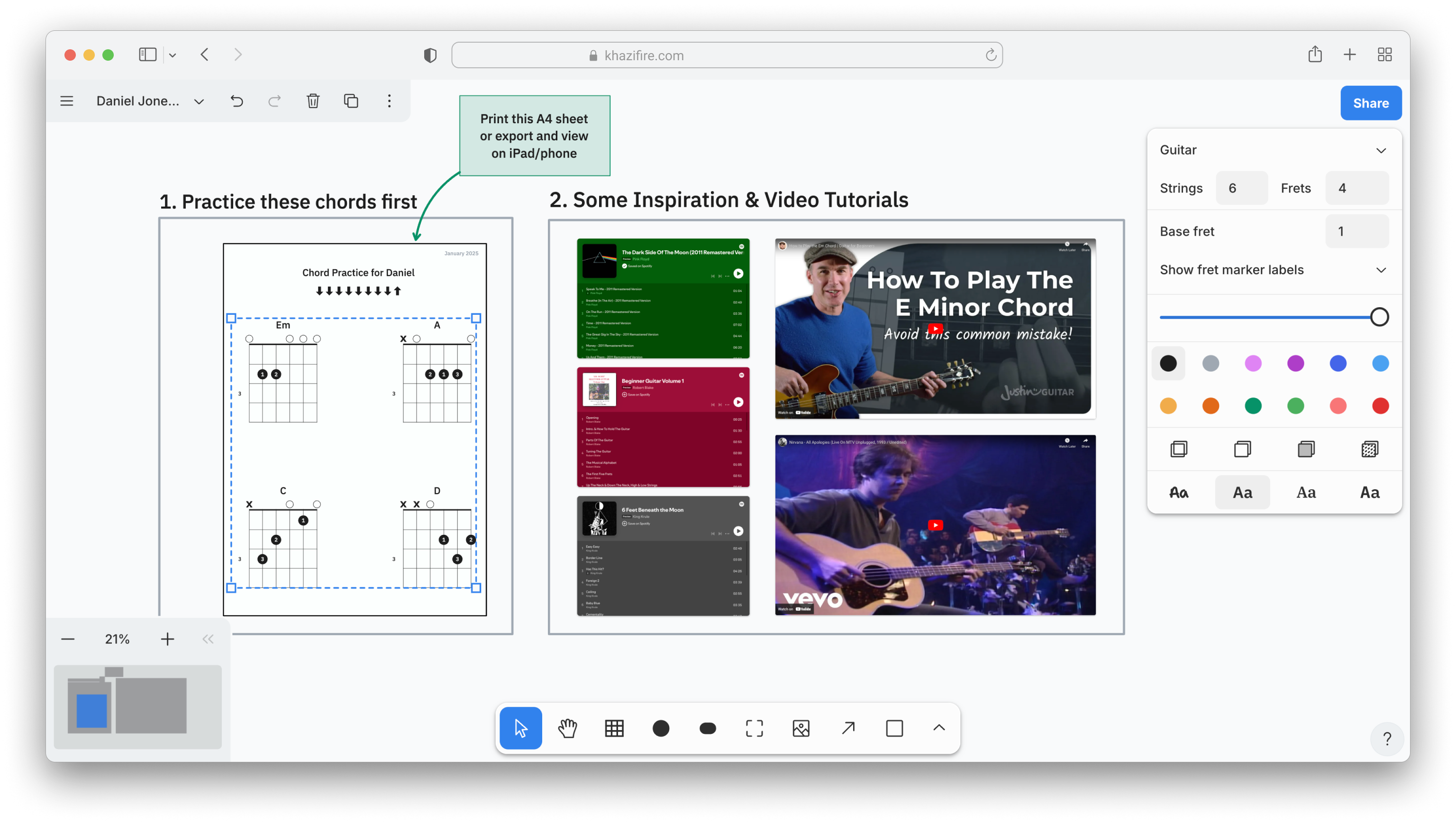
Capture Ideas On the Fly
A visual scratchpad for chord voicings, song ideas, and fretboard experiments.
Complex Voicings
Document intricate chord shapes with precise finger positions and string details
Audio Preview
Hear your diagrams instantly with built-in audio playback
Custom Annotations
Add fingerings, technique notes, and custom markings to any diagram
Connect with Fellow Musicians
Share your creations, get feedback, and discover new techniques. Join our growing community of guitarists, teachers, and music enthusiasts.
Never Lose a Musical Idea Again
Open Chorducate whenever inspiration strikes. Sketch your ideas visually and hear them instantly.
Document Your First IdeaPowerful Features
Multi-Diagram Support
Work on multiple chord diagrams simultaneously on an infinite canvas
Rich Annotations
Add text, arrows, shapes, and custom markings to your diagrams
Audio Playback
Hear exactly what you're drawing on the whiteboard with audio playback.
Flexible Export
Export your work as high-quality PNG or SVG files for print or use in other software
Easy Sharing
Share snapshots of your curated whiteboards with simple, shareable links
Import & Embed
Copy and paste in media files, GuitarPro tablature files and embed YouTube or Spotify content
Have questions? Join our community on r/Chorducate
Works Everywhere
Any Device
Access Chorducate from your phone, tablet, or computer. Works seamlessly on iOS, Android, Windows, Mac, and Linux.
Completely Free
No hidden costs, no subscriptions, no ads. All features are available free of charge, with no sign up required.
No Sign Up
Start creating immediately, no account required. Just open in your browser and begin.
Your ideas deserve to be heard.
Start sketching your musical ideas visually. Create a free account to get started.